
Markway, a Markdown web highlighter
Highlight text on any page. Get a Markdown note, then send it to Roam Research, Notion, Obsidian, or your clipboard.

How it works
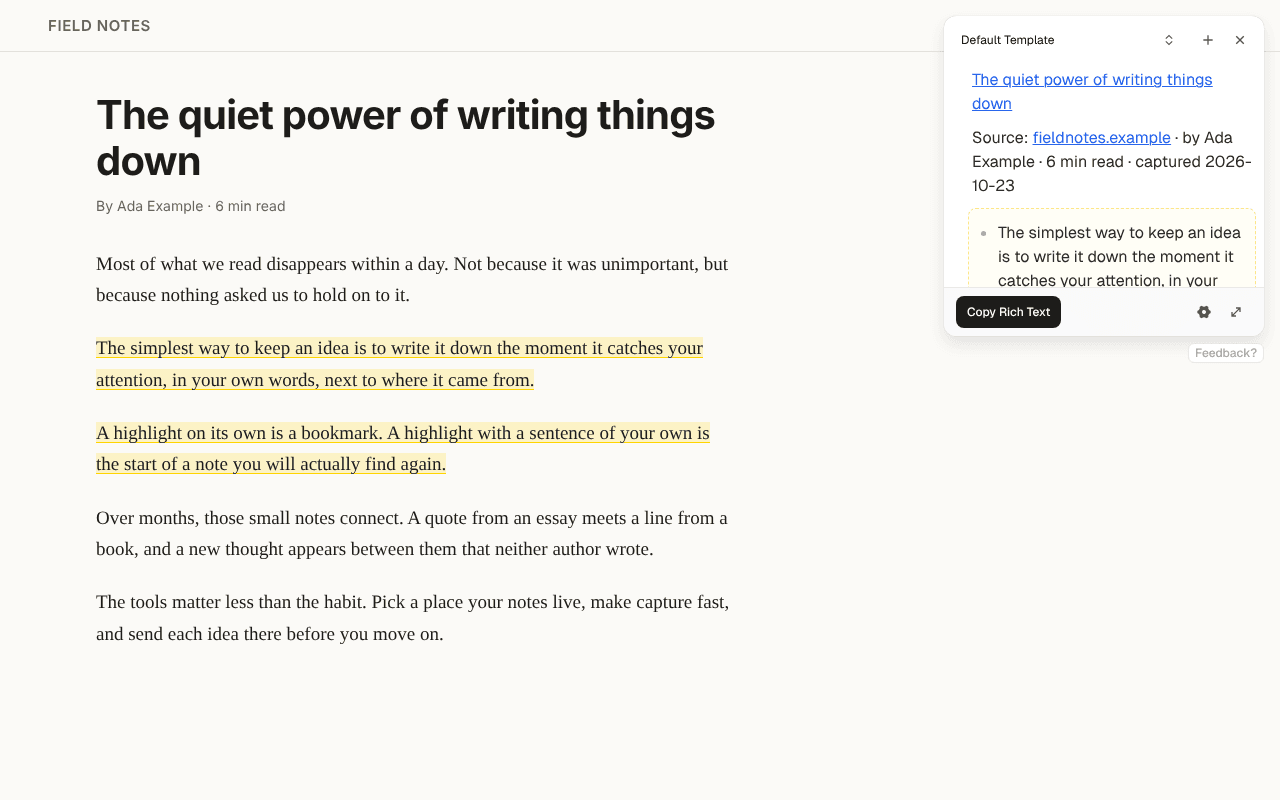
Highlight
Select text on any page and click Highlight.
Check the note
Your template adds the title, link, and date. Add a thought of your own.
Send it
Send the note to Roam Research, Notion, or Obsidian, or copy it to your clipboard.
From page to note
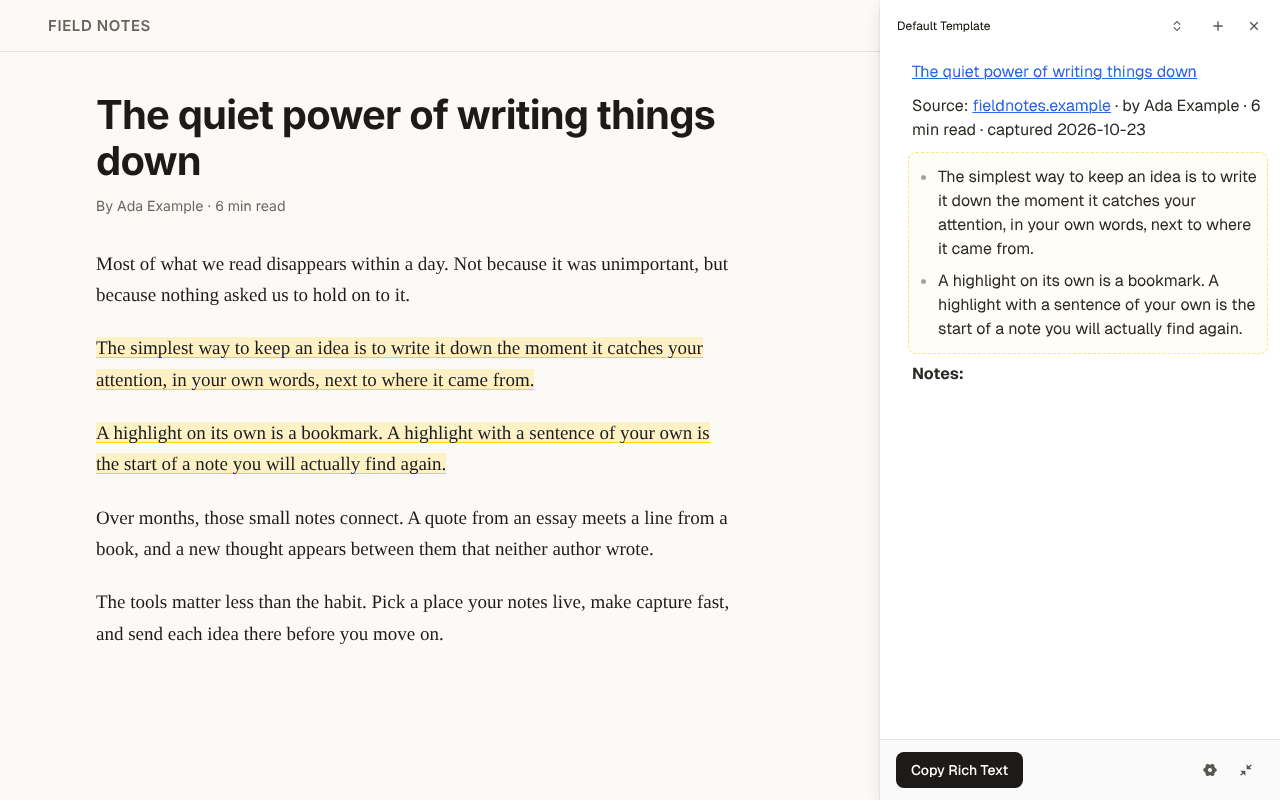
Your highlights, as a note
Each highlight lands in a Markdown note next to the page. The template fills in the title, link, author, and date, and you can edit the note before you send it.
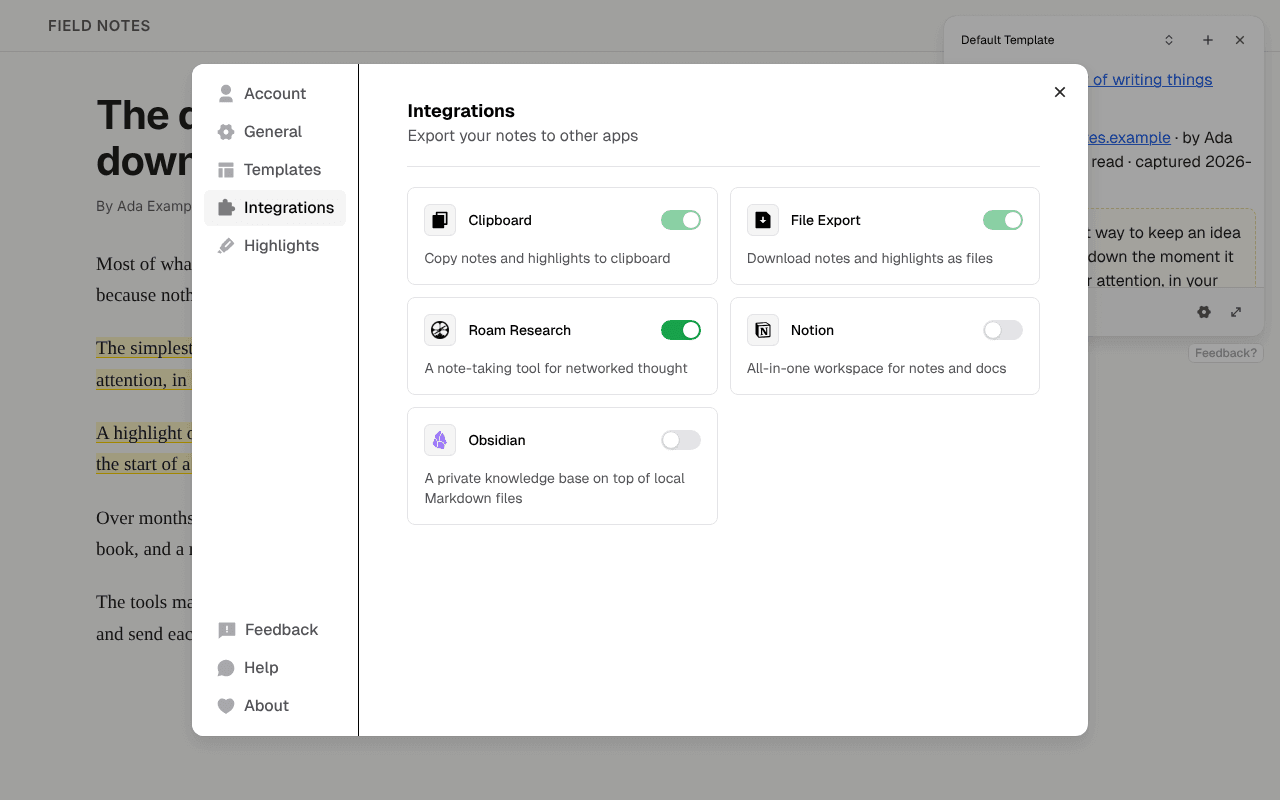
Send it where your notes live
Turn on Roam Research, Notion, or Obsidian, then send the note. You can also copy it as Markdown or rich text, or download a .md file.
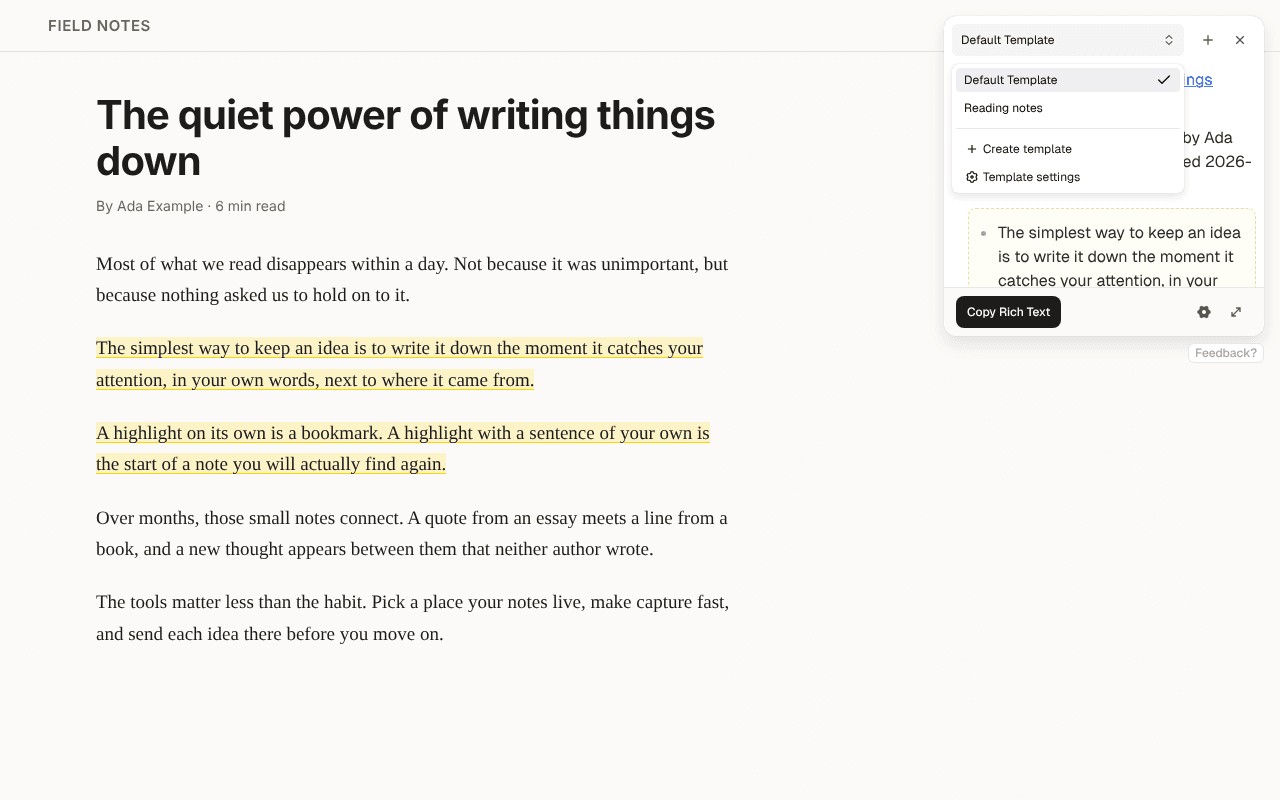
A template for each kind of reading
Keep a template for each kind of reading, such as papers, articles, or docs, and switch in the widget. Free includes 2.
Keyboard shortcuts
⌥X (Alt+M on Windows and Linux) opens Markway and ⌥H (Alt+H) highlights the selection. Change both in settings.
Highlights stay on the page
Come back to a page and your highlights are still marked.
AI prompts
Pro
Add a question to a template. Markway answers it from the page when you highlight.
PDF highlighting
Pro
Open a PDF in Markway's viewer and highlight it like a web page.
Free includes two templates. Pro removes that limit.
Sending notes to Roam Research, Notion, and Obsidian is included. Pro adds unlimited templates, AI prompts, and PDFs.
Save 25%
Free
$0
forever
Highlight text on any web page
Write your own text in the note
Send notes to Roam Research, Notion, and Obsidian
Copy the note, or download a .md file
Up to 2 templates
Pro
$6
/mo, billed $72 yearly
Everything in Free, plus:
Unlimited templates
AI prompts in your templates
Highlight PDFs in Markway's viewer
Questions & answers
Markway is a browser extension for highlighting web pages. Select text, and Markway turns it into a Markdown note you can send to Roam Research, Notion, Obsidian, or your clipboard.
No. The free plan works without an account. You only sign in to buy Pro, so Markway can link your subscription to the extension.
Chrome, Edge, Brave, Arc, and Firefox, on a computer. Markway is a desktop browser extension, so it doesn't run on phones.
Markway sends notes straight to Roam Research, Notion, Obsidian, Logseq, Readwise Reader, Tana, Reflect, Capacities, Anytype, Workflowy, Craft, RemNote, Evernote, and Heptabase. Bear and Apple Notes work on a Mac. Webhooks are part of Pro. For any other app, copy the note as Markdown or rich text and paste it, or download it as a .md file.
Highlighting happens on your device, and Markway doesn't upload a page because you visit it. Your notes, highlights, templates, and integration keys stay in the extension until you send a note to an app you picked. On Pro, a template with an AI prompt sends the page text to Markway's server and an AI provider to answer it. Usage analytics count which Markway features you use, never the pages you visit, and you can turn them off in settings.
Markway is the next version of Roam Highlighter. When it's released, Roam Highlighter updates to Markway by itself, imports your template, and makes it your default, so highlights paste into Roam the same way as before.
Yes. Cancel whenever you like and you keep Pro until the end of your billing period, then move back to the free plan. Templates you already made keep working.
Highlight the next page you read
Install it, open any article, and press ⌥X (Alt+M on Windows and Linux).